

Shopify migration services
Move to Shopify without treating the migration as a simple export
Cape Wired plans and implements migrations from WooCommerce, Joomla, Wix, Squarespace and legacy ecommerce platforms to Shopify. The work can cover data, catalogue structure, storefront rebuilding, redirects, integrations, testing and launch, so the new store is designed around the business you need now, not copied blindly from the platform you are leaving.
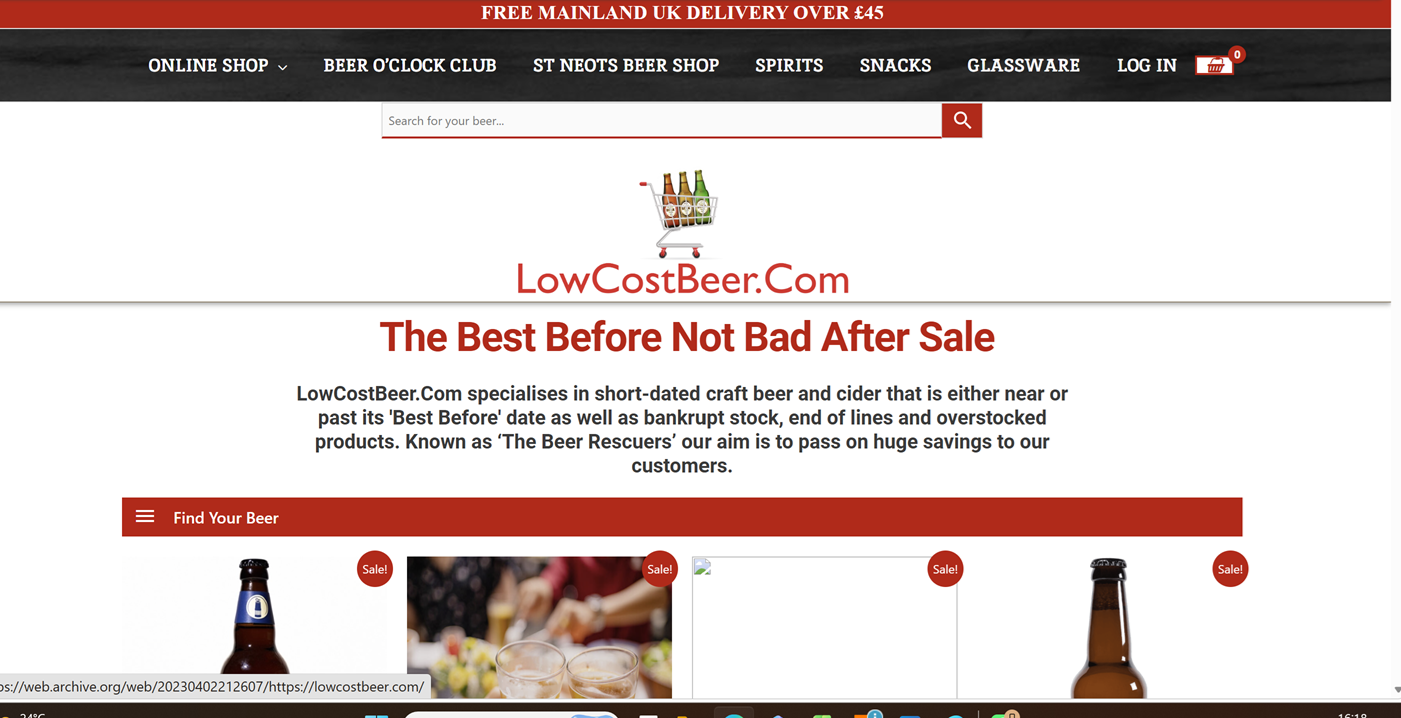
LowCostBeer on WooCommerce
The store before its move to Shopify.
Founder led
Work directly with the person planning, building and checking the migration.
Data aware
Products, variants, customers, content and order requirements are reviewed first.
SEO conscious
Important URLs, content and internal links are mapped before launch.
Operationally tested
The new store is checked against real payment, delivery and fulfilment needs.
More than moving CSV files
A migration is part data project, part rebuild and part launch operation
Ecommerce platforms organise products, variants, categories, customer accounts, content and extensions differently. As a result, a direct copy can carry old structural problems into Shopify or leave important data and functionality behind.
Cape Wired starts by reviewing what the existing store contains, how the business operates and what genuinely needs to move. The new Shopify structure is then planned around product discovery, day-to-day management, payments, delivery, reporting and future growth.
The migration plan separates data that can be imported, content that needs restructuring, features that require a Shopify app or custom development, and legacy elements that should not be rebuilt at all.
A controlled platform move
- Audit products, variants, customers, content and integrations
- Rebuild the Shopify structure instead of copying old limitations
- Map important URLs and prepare redirects before launch
- Test payments, delivery, tax, forms, tracking and customer journeys
- Plan the final data update, domain switch and post-launch checks
1,000
Large-catalogue migration experience from operating a live store
Cape Wired founder Daniel Jones migrated LowCostBeer from WooCommerce to Shopify and continued operating and developing the store with approximately 1,000 live products. That experience informs decisions around data quality, redirects, admin usability, launch risk and ongoing catalogue management.
Source platforms
Migration planning based on the platform and data you actually have
WooCommerce is the most common source platform, but migrations from other hosted, open-source and bespoke systems can also be reviewed after examining exports, database structure and required functionality.
WooCommerce
Products, customers, content, plugins and WordPress structure
Joomla
Legacy ecommerce and custom content structures
Wix
Products, pages, media and hosted-store replacement
Squarespace
Commerce data, content and storefront rebuilding
Legacy platforms
Bespoke databases, ageing systems and manual exports
What a Shopify migration can include
A complete move from the old platform to a maintainable Shopify operation
The final scope depends on catalogue size, product complexity, customer and order data, extensions, content, integrations and the quality of the source system. Essential work is agreed before implementation begins.
Discovery and data audit
Establish what exists, which information is reliable and what needs cleaning, restructuring or specialist handling.
- Products, variants and categories
- Customers and historical orders
- Pages, articles, media and metadata
- Apps, plugins and integrations
Shopify catalogue architecture
Plan products, variants, collections, filters and metafields around how the catalogue should work in Shopify.
- Product and variant mapping
- Collection hierarchy
- Filter and metafield planning
- Product-data normalisation
Storefront and theme rebuild
Rebuild the customer-facing store rather than forcing the old platform's layouts and limitations into Shopify.
- Theme setup and configuration
- Navigation and page templates
- Editable sections and blocks
- Responsive storefront checks
Data migration and validation
Prepare, transform and import agreed data, then check totals and representative records before launch.
- Products, images and collections
- Customer records where suitable
- Content and blog migration
- Post-import validation
Functions and integrations
Review what the old store does and decide whether each function should use Shopify features, an app, custom work or a separate integration.
- Payments and delivery
- Email, reviews and subscriptions
- Accounting and fulfilment systems
- Specialist integration requirements
Testing, launch and stabilisation
Test the operation before cutover, complete the domain switch and check the store during the early post-launch period.
- Cart, checkout and payment tests
- Delivery, tax, email and forms
- Redirects, analytics and indexing
- Post-launch issue resolution
Data migration realities
Not every record transfers in the same way
The discovery stage confirms what can move cleanly, what needs transformation and what may require a specialist app, integration or retained archive.
Data that can often be prepared for Shopify
- Products, variants, images and pricing
- Inventory values where the source is reliable
- Customer contact and address records
- Pages, articles and selected metadata
- Collections, redirects and product data
Data that may need another method
- Historical orders and complex order relationships
- Customer passwords from the previous platform
- Subscriptions, loyalty balances and gift cards
- Product reviews and third-party app data
- Bespoke records held outside standard exports
Customer account expectations
Existing passwords generally cannot be transferred through a standard customer import because they are encrypted within the source system. Customers may therefore need to activate or access accounts using the method configured for the new Shopify store.
Final data synchronisation
When the old store continues trading during the build, a final data update or agreed order-handling process may be required before the domain switches. The method depends on order volume, source data and the migration tools being used.
Migration process
A staged move designed to keep the current store trading
The Shopify store is normally built separately while the existing site continues operating. The exact sequence depends on data, integrations and how much information changes between the first import and launch.
Discover
First, review the store, data, traffic, integrations and operational requirements.
Map
Define Shopify architecture, data handling, URLs and functional replacements.
Build
Configure the theme, templates, navigation, products and supporting content.
Migrate
Import the agreed data, validate records and prepare redirects and settings.
Test
Check mobile, search, cart, payment, delivery, email, analytics and admin.
Cut over
Finally, complete final updates, apply redirects, switch the domain and monitor launch.
Migration SEO safeguards
Changing platforms should not mean abandoning every URL and search signal
Source platforms and Shopify use different URL structures, so important product, category, page and article URLs need to be mapped to their most relevant new destinations. Redirects should be prepared before launch and checked after the domain switch.
Migration work can also include checks for page titles, descriptions, headings, internal links, image handling, structured content, analytics and Search Console. These safeguards reduce avoidable risk, but no migration can guarantee unchanged rankings or traffic.
- Inventory of important current URLs
- Relevant one-to-one redirect mapping
- Review of pages that should be consolidated or retired
- Post-launch crawl, indexation and error checks
- Traffic and ranking observation during stabilisation
301
Redirect planning is part of the migration, not a repair after launch
High-traffic and well-linked URLs receive priority. Thin, duplicated or obsolete pages are reviewed rather than redirected indiscriminately to the homepage, which may provide a poor customer and search experience.
Explore Ecommerce SEO ↗Is migration the right move?
Best suited to established product businesses that need a more manageable platform
A strong fit
The current platform is slow, fragile or difficult to maintain.
The store depends on too many plugins or technical workarounds.
Search visibility, data and customer history need careful handling.
The catalogue and customer journey need restructuring during the move.
You need implementation and launch support, not only migration advice.
A different starting point may be better
×
The current platform is working well and the problem is only visual.
×
You want a same-day automated import with no discovery or testing.
×
You expect every plugin and custom feature to transfer directly.
×
You cannot provide access, source data or operational decisions.
×
You need a destination platform other than Shopify.
Shopify migration pricing
Starting prices based on catalogue size, data quality and migration risk
Every migration is scoped after reviewing the current platform, catalogue, content, data quality, integrations and SEO requirements. These prices therefore provide a realistic starting point rather than a quote based only on product count.
Established ecommerce store
Migration with SEO continuity
From £5,500
For a trading store where catalogue structure, content, rankings, customers and operational continuity have material value.
- Detailed catalogue, data and SEO audit
- Storefront and collection architecture rebuild
- Comprehensive URL and redirect mapping
- Launch management and stabilisation checks
Straightforward migration
Smaller Shopify migration
From £3,000
For a smaller, well-structured catalogue with limited custom functionality and clean source data.
- Discovery and source-data review
- Product, image and collection migration
- Theme-led Shopify storefront setup
- Core content, redirects and launch testing
Legacy or bespoke platform
Complex Shopify migration
Price on request
For large catalogues, bespoke databases, subscriptions, B2B requirements or systems needing significant data transformation.
- Detailed source-platform assessment
- Manual or scripted data transformation
- Custom functionality and integration planning
- Phased testing, cutover and stabilisation
What affects the final price?
The proposal depends on the source platform, number and complexity of products and variants, customer and historical-order requirements, subscriptions, reviews, content volume, URL mapping, integrations, design work and the condition of the available source data.
- Shopify subscriptions, theme licences, migration apps and third-party software are separate.
- Additional data cleaning and catalogue entry are quoted where required.
- International markets, multiple languages and B2B functionality require specific review.
- The deliverables, milestones, launch plan and payment schedule are confirmed before work starts.
First-hand migration experience
Migration decisions shaped by operating the stores after launch
RUNESILK, LowCostBeer and TENGA UK were founded, acquired or operated by Cape Wired's founder, not third-party clients.

Approximately 1,000 products
LowCostBeer WooCommerce to Shopify migration
Cape Wired migrated and rebuilt a large craft beer catalogue on Shopify, then continued operating and improving the live store. This provided direct experience of catalogue data, redirects, malware-related legacy issues and post-launch administration.
Read the LowCostBeer case study →

Joomla to Shopify
TENGA UK platform move and long-term operation
TENGA UK's earlier Joomla ecommerce store was moved to Shopify and developed into a long-term D2C operation. The experience covered catalogue rebuilding, customer journeys, content, checkout, campaigns and continual store improvement.
Read the TENGA UK case study →
Operator-led
Commercial continuity matters after the technical cutover
A technically completed import is not the end of a migration. Search, customer service, fulfilment, catalogue maintenance and reporting must still work once orders begin reaching the new store.
Related Shopify services
Migration is often connected to a wider store rebuild
Shopify store builds and redesigns
Rebuild the theme, navigation, product journeys and storefront experience as part of or alongside the platform migration.
Ecommerce SEO
Review search intent, content, technical foundations and internal links when the migration also requires a wider organic-search strategy.
Shopify support and development
Continue with catalogue, campaign, SEO and theme work once the new Shopify store has completed its launch and stabilisation period.
Shopify migration FAQ
Questions about moving an ecommerce store to Shopify
How much does a Shopify migration cost?
Straightforward migrations start from £3,000 and established-store migrations with SEO continuity start from £5,500. Legacy, bespoke, large-catalogue or integration-heavy projects are priced after reviewing the platform, data, functionality and launch requirements.
Which platforms can Cape Wired migrate from?
Common source platforms include WooCommerce, Joomla, Wix and Squarespace. Legacy and bespoke systems can also be reviewed where suitable data exports, database access or another practical migration route is available.
How long does a Shopify migration take?
A focused migration commonly takes several weeks rather than a few days. Larger catalogues, complex product data, custom functionality, historical orders, integration work and slow content approvals can extend the programme. The schedule is confirmed after discovery.
Can the existing store keep trading during the migration?
Usually, yes. The Shopify store can be built separately while the existing store remains live. A final data update and controlled domain switch are then planned for launch, with the exact approach based on order volume and integration requirements.
Can products, customers and orders all be migrated?
Products and customers can usually be migrated after the data is prepared for Shopify. Historical orders, however, often require a specialist migration app or another agreed method. Discovery confirms what can move cleanly, what needs transformation and what should remain available as an archive.
Will customer passwords move to Shopify?
Existing passwords generally cannot be imported through a standard customer CSV because they are encrypted outside Shopify. Customers may therefore need to activate or access their Shopify accounts using the account method configured for the new store.
What happens to plugins and custom functionality?
Plugins and extensions are not transferred directly. Instead, each important function is reviewed and either handled through Shopify's native features, a suitable app, custom Liquid or a separate integration. Some legacy functionality may be simplified or removed where it no longer provides commercial value.
Can the same domain be used after the migration?
Yes. The existing domain can normally be connected to Shopify at launch. The switch is coordinated with redirects, DNS changes, email checks, analytics and post-launch testing so the transition is controlled.
Can you protect existing SEO during the move?
Cape Wired maps important URLs, prepares redirects and reviews metadata, headings, internal links, content, analytics and Search Console before and after launch. These safeguards reduce avoidable risk, but rankings and traffic cannot be guaranteed.
Will the store be exactly the same after migration?
Not necessarily, and a direct replica is often the wrong goal. Shopify uses a different architecture, so the migration should preserve valuable content and functionality while improving the catalogue, management process and customer journey where practical.
Do you provide support after launch?
Yes. The migration includes an agreed stabilisation period. Continued Shopify support can also be arranged for catalogue work, campaigns, SEO implementation, theme development and further improvements after launch.
Start with a migration review
Planning a move to Shopify?
Share the current store, source platform, approximate catalogue size, customer and order requirements, important integrations and the problems the new platform needs to solve. Cape Wired will then review the project and recommend a practical migration scope.